
Tonight,
sorted.
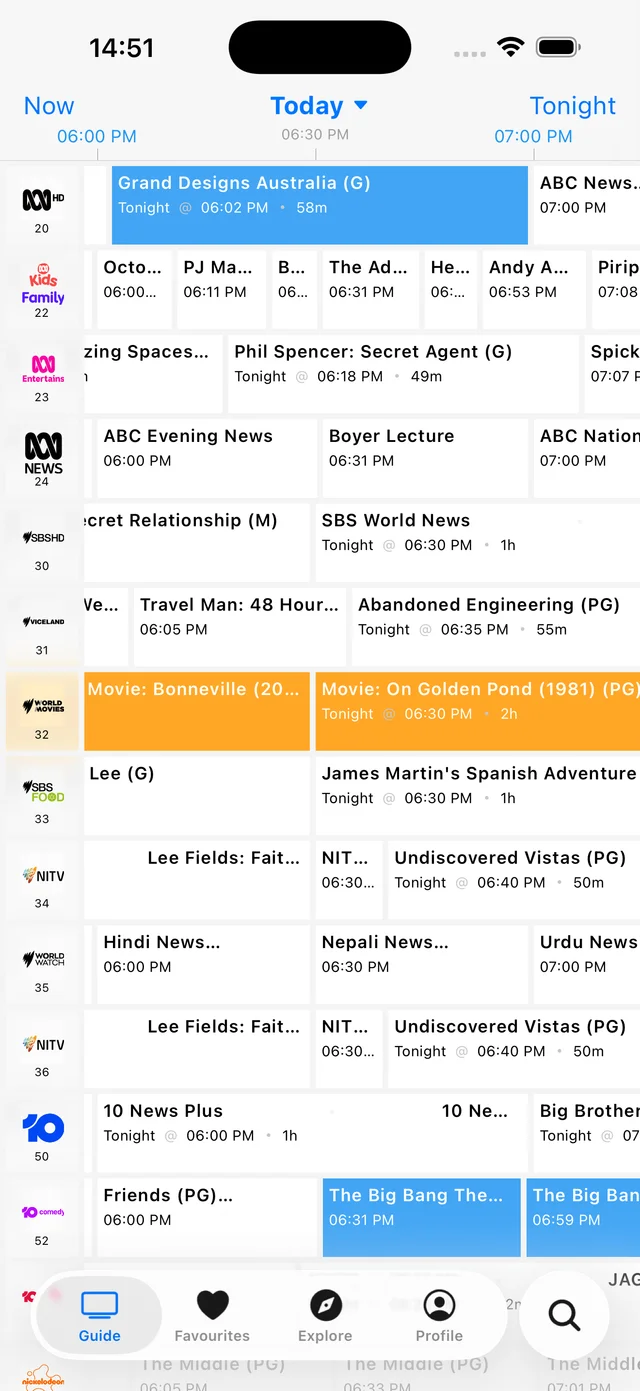
Feet up. Remote ready. Open the AusTV app, choose Tonight and find your evening's free-to-air TV in one handy guide.


Free for iPhone, iPad and Android. Optional AusTV Plus.
Your evening starts here
A good night in.
Make it local.
Download AusTV and choose the region where you watch TV. The channel lineup and programme times depend on that selection.
Choose Tonight.
Open the guide and select Tonight to browse the evening by channel. Tap a programme for more details.
Make a little plan.
Found something good? Set a programme reminder or add it to your device calendar. Save favourite shows to find them again.
 ABC
ABC SBS
SBS Seven
Seven Nine
Nine 10
10 NITV
NITVYour place, your guide
Pick your city.
Plus regional areas. Choose your region in the app.
Where can I see what's on tonight?
Open the guide in the AusTV app and select Tonight. Programme times and channel listings are in the app; this page does not display a live schedule or stream television.
How do I get the guide for my area?
Select your capital city or regional area in the app. Check your selected region when travelling, as local channels and programme times can differ.
Can I get a reminder before a programme?
Yes. Open a programme in the app and set a reminder. Allow notifications on your device to receive reminders. You can also add programmes to your device calendar.
Can programme times change?
Yes. Broadcasters can change their schedules, particularly around live events. Check the guide again closer to the programme time; listing updates may not appear immediately.
Can I look beyond tonight?
Yes. Choose another day in the guide to browse upcoming programmes through the week, or search for a show by name.
Free on iOS and Android
Grab it free.
Enjoy the week.
Optional AusTV Plus removes ads.