
Start with your region.
Choose Perth in the app. Nearby regional areas can have a different channel lineup.
Your local free-to-air guide, in your pocket. Open AusTV for programme times in Perth, save your favourites and make a plan for tonight.


Free for iPhone, iPad and Android.
Perth
AWST
Good TV. A little closer to home.
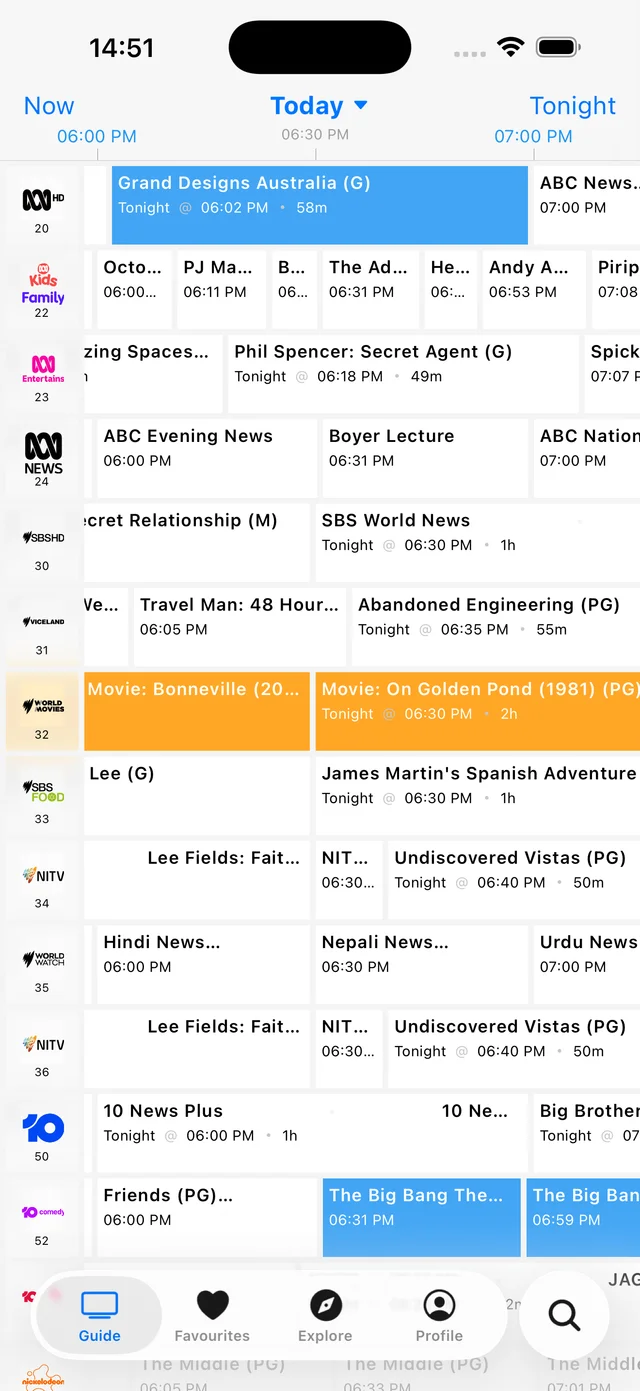
App screenshot example. Choose your region in AusTV for local listings.
Choose Perth in the app. Nearby regional areas can have a different channel lineup.
Browse the guide by day and time. Find your evening viewing or look ahead through the week.
How to find tonight's TVKeep favourite shows together and set reminders for the programmes you want to catch.
How it works
Grab AusTV from the App Store or Google Play.
Select Perth in the app to see its local channel lineup.
Browse the week, save favourites and set reminders.
Download AusTV and select Perth as your region. Open the guide to browse by channel and time, or use Tonight to plan your evening. Programme listings are in the app.
The app shows the channel lineup for the region you select. Browse the major free-to-air networks and their multichannels, and check your selected region if a channel is missing.
Perth uses AWST. Select your viewing region in the app and check the programme time in your guide, particularly when travelling between states.
Yes. Add a show to your favourites to find it again, set a reminder for a programme or add it to your device calendar.
AusTV is free to download and use, with ads. AusTV Plus is an optional upgrade that removes ads and adds extra features.
Free on iOS and Android
Optional AusTV Plus removes ads.
Your place, your guide
Plus regional areas. Choose your region in the app.
 ABC
ABC SBS
SBS Seven
Seven Nine
Nine 10
10 NITV
NITV