
Every public release of AusTV is listed here. Send your feedback to hello@austv.io, we would appreciate your thoughts.
On this page
October 2026
iOS 4.99 and Android 2.99
Colour your guide
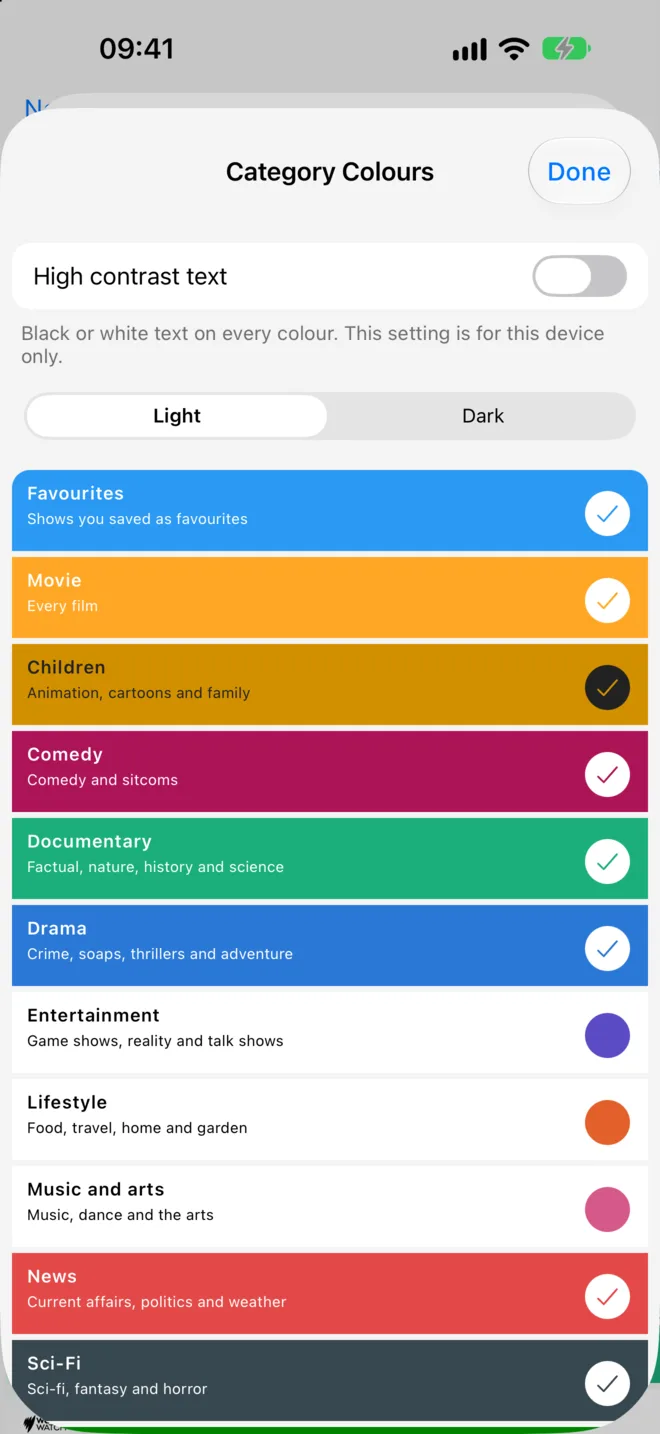
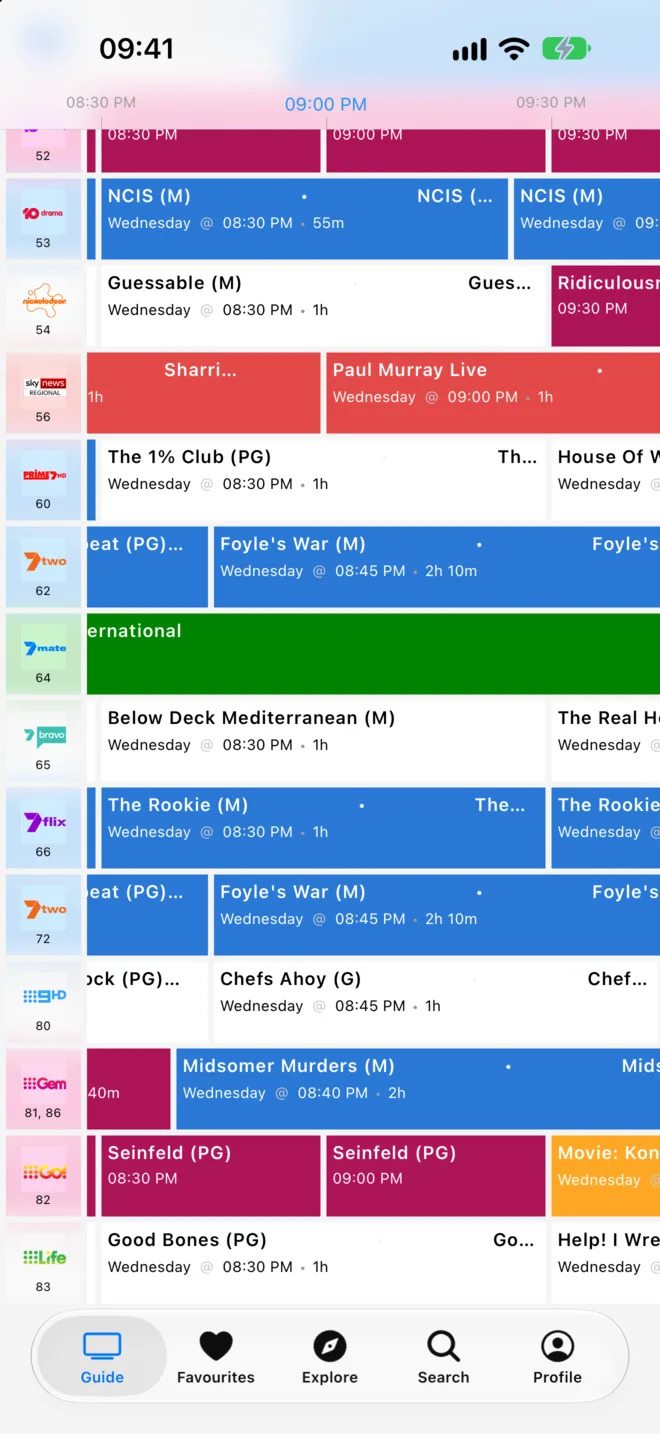
Version 4.99 on iOS and 2.99 on Android brings Category Colours: a simple way to colour your guide by category, so the shows you like stand out.
Category Colours
Open Category Colours from Profile or the guide Options. Each category shows as a row that looks like your guide. Tap a row to turn its colour on or off. With AusTV Plus, tap the circle on the right to choose your own colour. Choosing a colour also turns that category on.
Older categories that you set up before now sit under Also saved. They can disappear from the list after you turn them off and close the screen.
A fresh palette
We've refreshed the default palette, with a clear colour for each family of categories. Your saved colour settings are kept as they are.
Which colour wins
When a show has more than one category, Favourites comes first, then Movie, then the show's categories from A to Z. When none of a show's own categories is on, a related category can use its family's colour, for example a sitcom when Comedy is on. An enabled category colour takes priority over its family fallback. This can change the colour of some shows.
Categories on every show
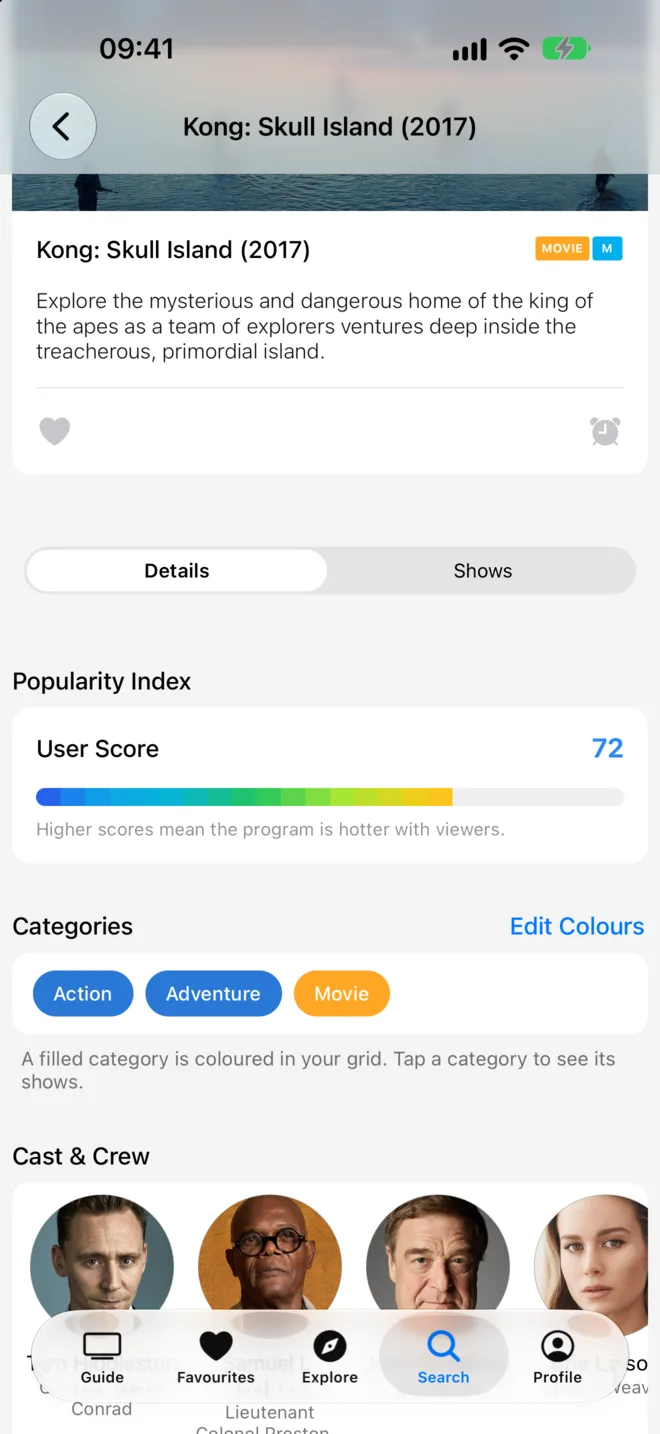
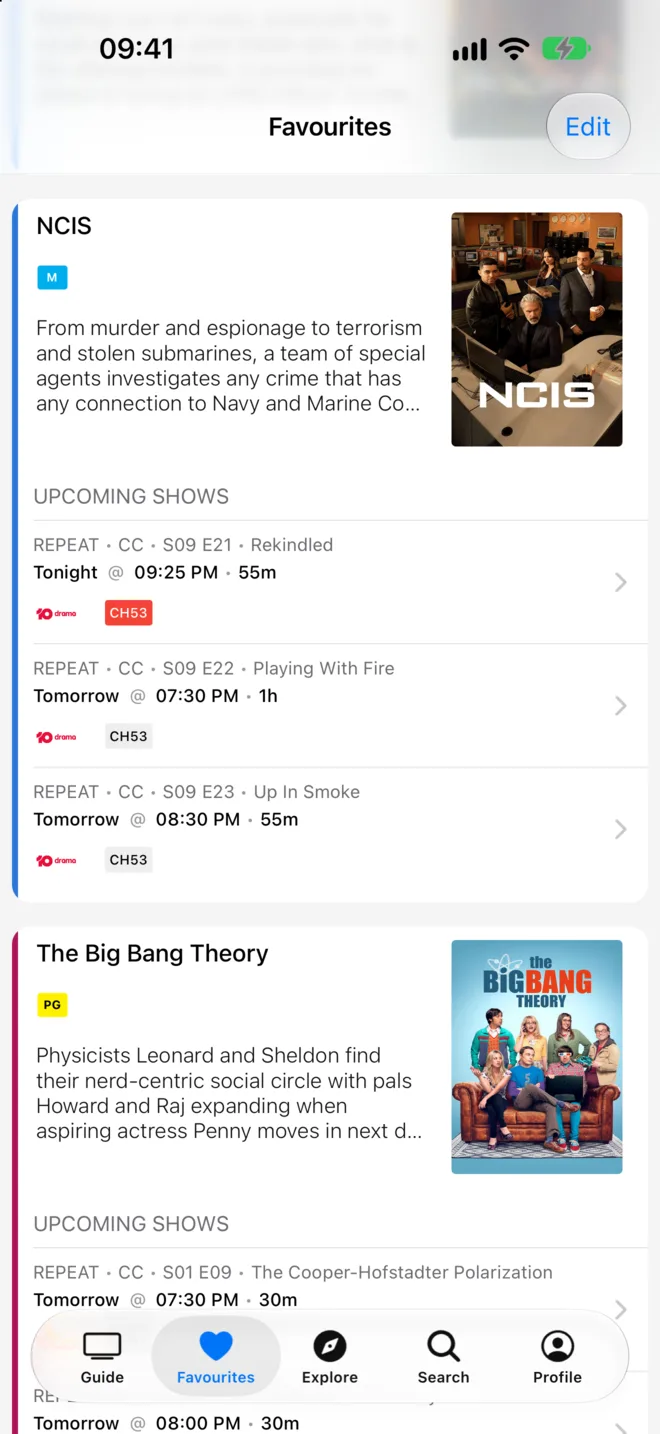
Show details now list each category. Tap a category to see more shows like it. Lists show a colour edge on each row instead of the small badges, and the MOVIE badge stays.
Also new
- All Categories in Explore is now grouped into categories, genres and sport, and you can sort it A to Z.
- A High contrast text option makes text on coloured rows easier to read.
Fixed
- Restore Purchases no longer stays stuck on a spinner after the app closes mid-restore.
Coming later
In the next release, colouring a category other than Movie or Favourites needs AusTV Plus. Categories you have on stay on. Movie and Favourites stay free. If you turn another main category off and close the screen, turning it back on needs Plus.
September 2026
iOS 4.98 and Android 2.98
Improved
- A handy Retry button when the grid guide has no shows.
- Smoother scrolling through show details and search lists.
- The favourite heart now responds instantly when you tap it.
- Various under the hood improvements.
Fixed
- The guide refreshes correctly after channel line-up changes.
- The app icon badge now clears when you open the app.
iOS 4.97 and Android 2.97
Improved
- The app now fits any window size on tablets, including split screen.
- Search is now a regular tab, one tap in and out.
- Better screen reader support for buttons and channel switches.
- Smoother loading on a slow connection.
- Various UX and under the hood improvements.
Fixed
- The AusTV Plus page no longer scrolls under the status bar.
iOS 4.96 and Android 2.96
Improved
- A handy Retry button if the guide cannot load.
- Various UX and under the hood improvements.
Fixed
- The blue "now" line in the grid guide now moves as time passes.
- The grid guide scrolls to the current time when opened.
- Your ad-free session countdown now updates while you browse.
iOS 4.95 and Android 2.95
Improved
- Various UX and under the hood improvements.
iOS 4.94 and Android 2.94
Improved
- Various UX and under the hood improvements.
Fixed
- Scrolling the guide or a list no longer opens a show by mistake.
iOS 4.93 and Android 2.93
Improved
- Various UX and under the hood improvements.
Fixed
- The dismiss button for guide ads is now easier to tap.
July 2026
iOS 4.92 and Android 2.92
Improved
- Various UX and under the hood improvements.
June 2026
iOS 4.91 and Android 2.91
Improved
- Various UX and under the hood improvements for a smoother, faster app.
iOS 4.90 and Android 2.90
New
- Choose how your guide and lists look, with a new agenda layout and four list style presets.
- Tailor haptic feedback to your liking with a new haptics setting.
Improved
- Adding and removing favourites and reminders now feels instant.
- Smoother scrolling in the guide, with clearer date, time and channel details.
iOS 4.89 and Android 2.89
New
- A refreshed AusTV Plus experience, with clearer free-trial and plan options.
- Prefer to stay free? You can now watch a short ad to unlock an ad-free session.
Improved
- A smoother experience editing your channels and favourites, with a warning before you discard unsaved changes.
May 2026
iOS 4.88 and Android 2.88
Improved
- Various UX and under the hood improvements.
April 2026
iOS 4.87 and Android 2.87
Improved
- Bug fixes and improvements.
iOS 4.86 and Android 2.86
New
- The Profile tab now shows an indicator when you have a valid in-app purchase.
Fixed
- Purchases are validated correctly after you restore your device from a backup.
March 2026
iOS 4.85 and Android 2.85
Improved
- Bug fixes and improvements.
iOS 4.84 and Android 2.84
Improved
- Various UX and under the hood improvements.
iOS 4.83 and Android 2.83
Improved
- Refreshed app icon and in-app logo.
- Channels with no scheduled programmes now show a clear empty state in the guide grid.
- Your channel list now stays in sync when channels are added to or removed from your region.
Fixed
- A bug that let you leave Edit Channels without saving your changes.
- A loading indicator that did not display correctly on some screens.
February 2026
iOS 4.82 and Android 2.82
Improved
- Various UX and under the hood improvements.
January 2026
iOS 4.81 and Android 2.81
Fixed
- A bug that prevented purchase receipts from validating for some users.
iOS 4.80 and Android 2.80
Improved
- Various UX and under the hood improvements.
Fixed
- Password managers can auto-fill your login details again.